Using the free tool uif2iso4mac you can quickly and easily convert UIF files to ISOs. Continue reading for a complete walk-through.
Please note: The software utilized in this guide only works in macOS versions up to (and including) macOS Mojave (10.14.6). It does not work in macOS Catalina (10.15) or higher.
- Start by downloading uif2iso4mac. Uncompress it and copy the application to your Applications folder. Launch it from there.
click to enlarge
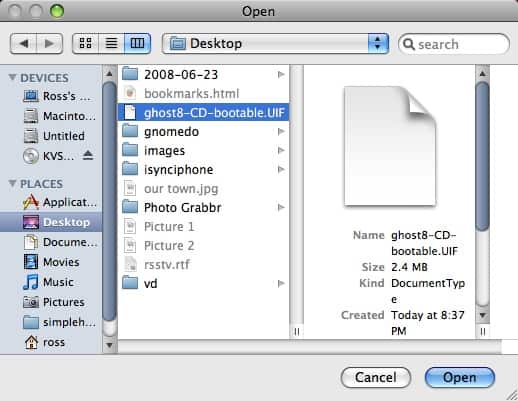
- From the Apple menu, select File and then Open…
- Navigate to your .uif file, select it and click the Open button.
click to enlarge
- Your .uif file will convert to an .iso. The time it takes is relative to the speed of your Mac and the size of the .uif file.
- Once the conversion has completed, an ISO file will be in the same folder/location as the uif file.

View Comments
Really Amazing app!! Thanks for your efforts
Thanks!