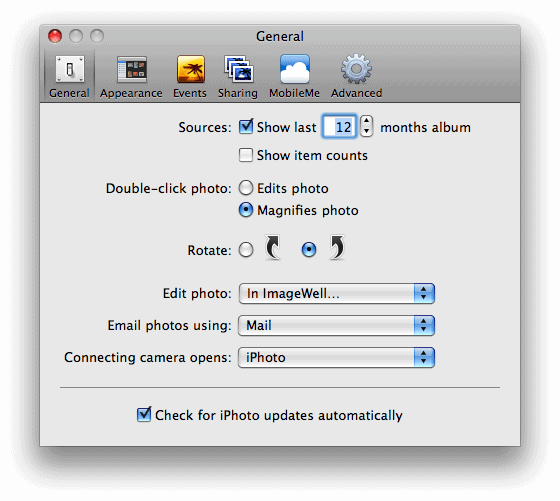
When you click the Edit button with an image selected in iPhoto, the internal editor opens. If you’d like to use a different image editor when clicking edit, follow the steps outlined below.
- Open iPhoto and select iPhoto -> Preferences… from the main menu.
- On the General tab, select drop-down menu next to Edit Photo:. Choose In Application… from that list.
click to enlarge
- Navigate to the image editor you want to use to edit your iPhoto images. Select it and click Open.
click to enlarge
- Exit out of the iPhoto Preferences.
click to enlarge
- And now when you click the Edit button, your image editing application of choice will launch, and load the selected photo(s).